office 2016 中出现‘VBE6EXT.OLB’ 不能被加载

 时间:2026-05-02 16:29:39

1、打开word,ppt,excel,会出现这几个bug。

office 2016 中出现‘VBE6EXT.OLB’ 不能被加载

office 2016 中出现‘VBE6EXT.OLB’ 不能被加载

office 2016 中出现‘VBE6EXT.OLB’ 不能被加载

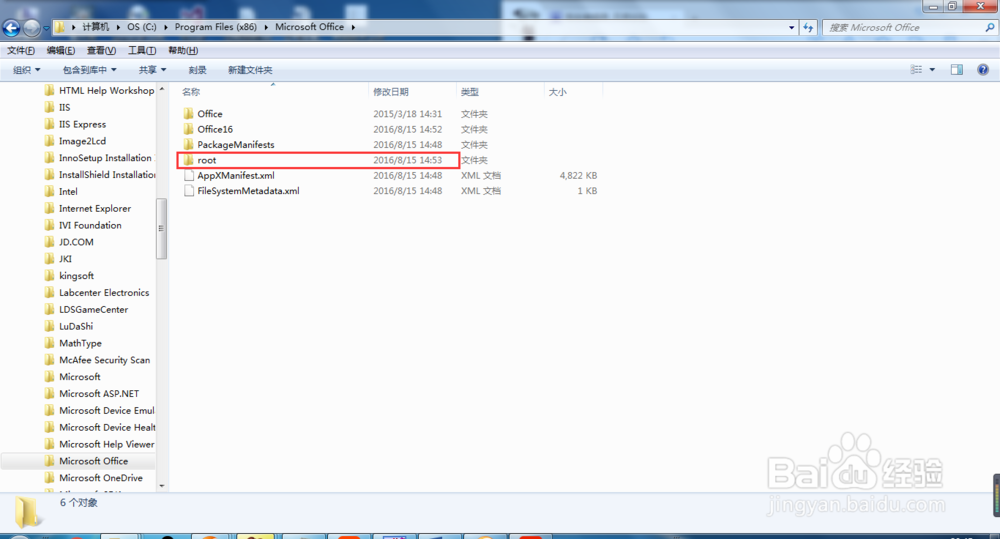
2、首先,打开我的电脑/计算机

office 2016 中出现‘VBE6EXT.OLB’ 不能被加载

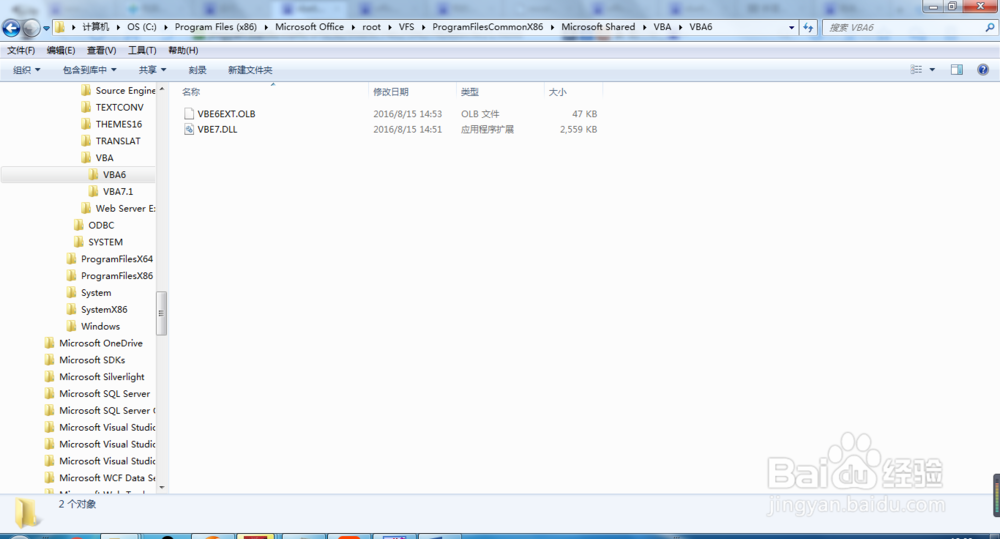
3、然后,依次打开C:\Program Files (x86)\Microsoft Office\root\VFS\ProgramFilesCommonX86\Microsoft Shared\VBA,这个因人而异,只要找到VBA文件夹就行。

office 2016 中出现‘VBE6EXT.OLB’ 不能被加载

office 2016 中出现‘VBE6EXT.OLB’ 不能被加载

office 2016 中出现‘VBE6EXT.OLB’ 不能被加载

office 2016 中出现‘VBE6EXT.OLB’ 不能被加载

office 2016 中出现‘VBE6EXT.OLB’ 不能被加载

office 2016 中出现‘VBE6EXT.OLB’ 不能被加载

office 2016 中出现‘VBE6EXT.OLB’ 不能被加载

office 2016 中出现‘VBE6EXT.OLB’ 不能被加载

4、打开VBA文件夹,将VBA6文件夹里的VBE6EXT.OLB复制到VBA7.1文件夹中

office 2016 中出现‘VBE6EXT.OLB’ 不能被加载

5、再将VBA7.1文件夹中的VBE7.DLL复制到VBA6文件夹中。

office 2016 中出现‘VBE6EXT.OLB’ 不能被加载

6、再打开word,ppt,excel就不会出现问题了,mathtype也能用了。

  • windows照片查看器显示内存不足怎么办
  • Word提示VBE6EXT.OLB不能被加载
  • Win10/Win8.1离线安装.NET Framework 3.5
  • VBE6EXT.OLB不能被加载,宏设置失效
  • 怎么查看谁在访问你的共享文件夹
  • 热门搜索
    牡丹鹦鹉怎么养 清宫表怎么看 怎么快速增肥 野鸡怎么做好吃 龙血树怎么养 家庭出身怎么填 卡罗拉怎么样 烧纸怎么写 大米生虫子怎么办 怎么卖萌